
Welcome to The BeOS Archive
BeOS R5.1 “Dano” · yellowTAB ZETA · thebeosarchive.de
BEST VIEWED IN NETPOSITIVEBeOS R5.1 “Dano” · yellowTAB ZETA · thebeosarchive.de
BEST VIEWED IN NETPOSITIVE

BeOS was an operating system for personal computers, built from scratch in the 1990s by Be Inc. It was not a UNIX and it was not Windows. It was designed around pervasive multithreading, symmetric multiprocessing and a database-backed filesystem (BFS), at a time when most desktop systems were still struggling to play a video file without stuttering.
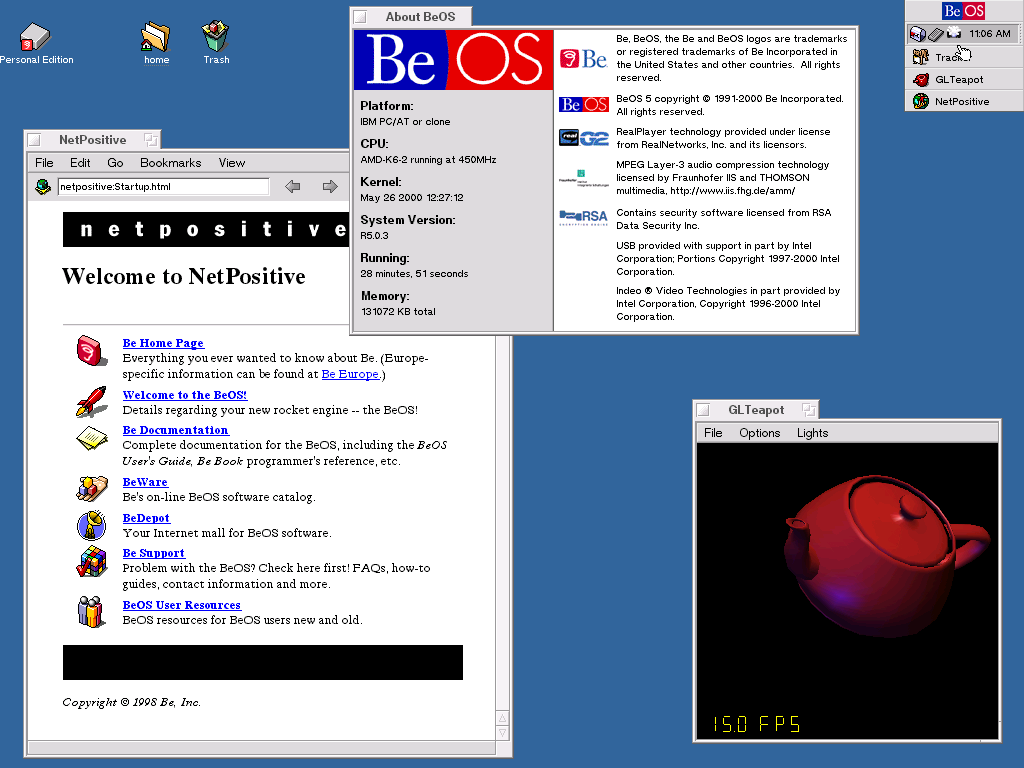
BeOS R5 — NetPositive, the About window, and GLTeapot running at 15 FPS.
What people remember is the responsiveness. BeOS could play several videos at once, scrub through them, and keep the interface perfectly smooth, on hardware that would be considered slow today. Every window ran in its own thread. The Tracker and the Deskbar felt instant. The yellow window tab is still one of the most recognisable pieces of interface design of the era.
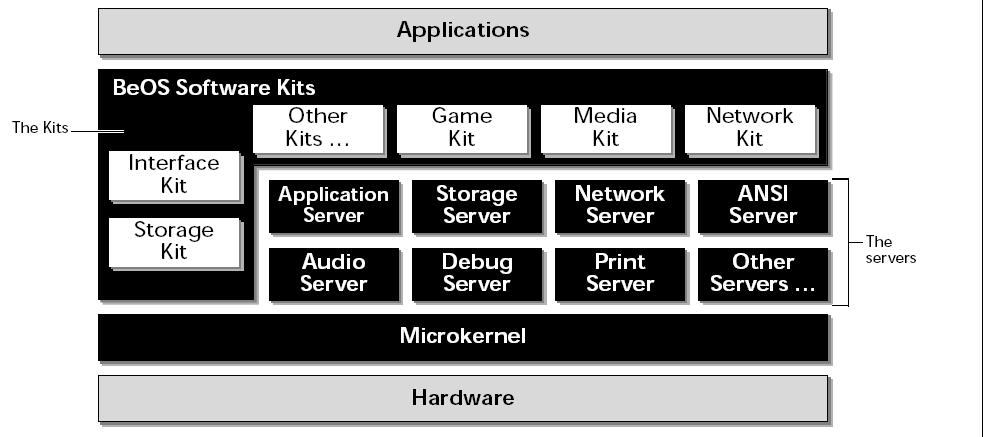
The BeOS architecture — the kits, the servers, and the microkernel underneath.
Be Inc. never won the desktop. Software was scarce, OEM deals fell through, and the company eventually pivoted to internet appliances before its assets were sold to Palm in 2001. The last release Be produced internally was R5.1, codenamed “Dano” — never officially shipped to the public, but widely circulated afterwards, and the base that the German company yellowTAB later developed into ZETA.

The Be logo in the wild, at a computer festival stand.
The spirit of the system survives today in Haiku, an open source reimplementation that is binary compatible with BeOS R5.
Everything on this site is put together on a real machine, not an emulator. I run yellowTAB ZETA and BeOS R5.1 “Dano” dual booted on a Dell Inspiron 510m.
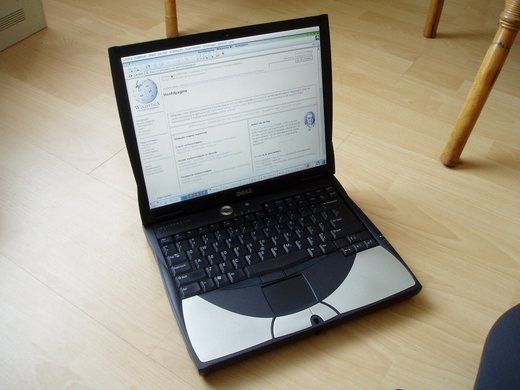
A Dell Inspiron of the same generation — placeholder until I photograph my own machine.
| Machine | Dell Inspiron 510m |
|---|---|
| CPU | Intel Pentium M |
| Memory | 512 MB RAM |
| Storage | 40 GB IDE hard disk |
| Partitioning | 20 GB to ZETA, 20 GB to BeOS R5.1 “Dano” |
| Configuration | Dual boot |
Sound was the one thing that would not come up on its own. The fix turned out to be simple: I used the VirtualBox AC97 drivers to get AC97 audio working under Dano. They were written for the emulated AC97 device VirtualBox presents to a guest, but the Inspiron's onboard audio is close enough that the driver binds to it and works on real hardware. After dropping them in, audio came up normally.
The Pentium M and 512 MB of RAM are a good match for this era of BeOS — enough to be comfortable, and below the memory ceilings that cause trouble on later machines. A 40 GB IDE disk is also small enough to keep BeOS happy, which is not something you can say about most drives you would find today.
This site exists to collect BeOS and ZETA material in one place — notes, screenshots, drivers and files that are getting harder to find as old sites disappear. Pages here are kept deliberately plain so they stay readable in the browsers that actually run on BeOS.
More sections to come.
Files I have collected for BeOS and ZETA can be browsed the old fashioned way — a plain directory listing, no accounts, no download manager, no waiting page:
The first thing up there is the BeOS R5.1 “Dano” burn kit
— the CD image and cue sheet for the last build Be Inc. produced internally, plus
the boot floppy image for machines that will not boot the CD on their own. Burn from the
.cue, not the .bin.
These files are getting harder to find every year as old sites go offline, which is the whole reason for keeping a copy here. Nothing is repacked or modified — what you download is what was uploaded. I have not tested every file on every machine, so keep a backup of anything you care about before installing, and if your BeOS box is on the network, put it behind a router rather than facing the internet directly.
If you get SSL errors in an old browser on BeOS, it is almost always the system clock
being set before the certificate era. Set it from Terminal with
/bin/date -s 09/21/2026 and try again.
Images marked CC BY-SA 3.0 are reused here under that licence and remain available under the same terms.